
20 New Year 2027 AI Image Prompts for Ads, Product Photos & Social Posts
Need a New Year sale banner, a festive product scene or a greeting for your customers? Choose an example below, copy its image prompt and add your own campaign text in an editor. Each prompt includes a generated example so you can judge the composition before trying it.
These examples are for business images, rather than selfie or family-photo edits. They use generic products and quiet seasonal details, with room for your headline. The year stays in editable text, so the same background can work for 2027 and future campaigns.
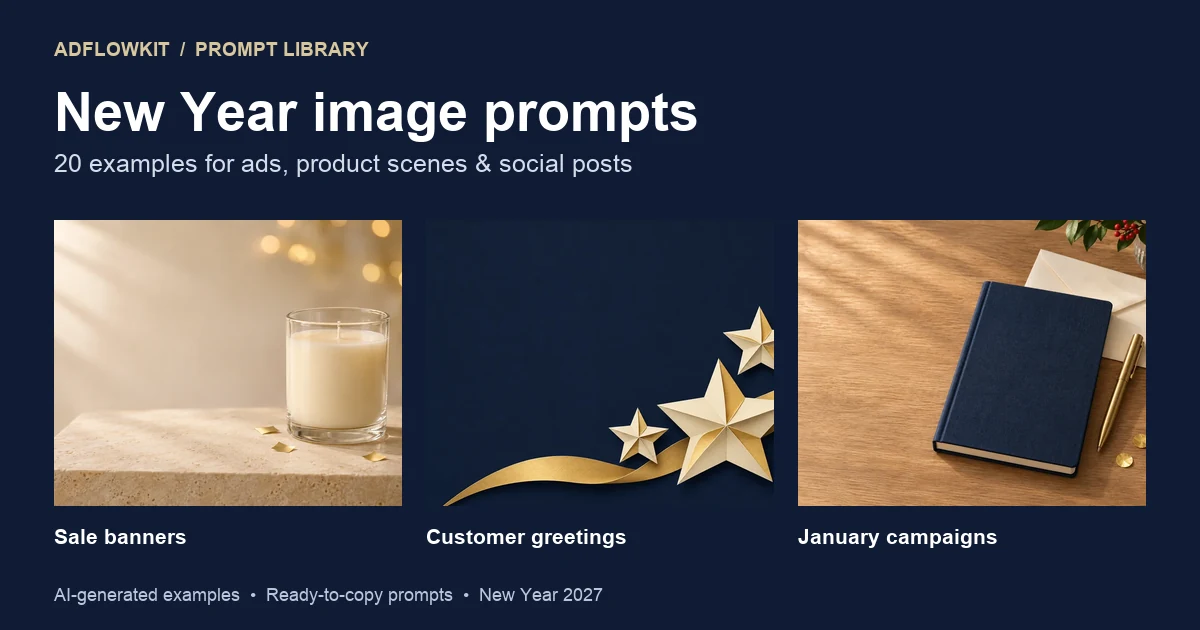
About the examples: These 20 examples were generated with an OpenAI image model on November 9, 2026. The products and campaigns are illustrative. You can copy the prompts without signing up; your chosen image tool may charge for generation.
How to use the library
How to use these New Year AI image prompts
- Start with a task. Pick a sale, product scene, greeting or social post. A customer thank-you does not need the same composition as a discount banner.
- Copy the prompt and composition line. The copy button includes both. Start with the example as written, then change the product, surface, palette or lighting to suit your business. Keep the instructions about empty space and blank packaging.
- Choose the output shape in your tool. Select landscape, square or portrait if that setting exists. If your generator does not offer the exact ratio, crop or extend the image in an editor afterward. Writing pixel dimensions in a prompt does not guarantee the exported size.
- Generate, inspect and finish. Check object shapes and cropping, then add the real headline, year, price, logo and CTA as editable layers. Use actual product photography when customers need to see a specific item.
For a reusable brief, use: purpose + subject + setting + lighting + palette + composition + what to leave out. Our AI banner prompt guide explains how to connect the scene to your offer and audience.
Example adaptation: In the candle prompt, change “ivory candle in a clear glass jar” to “pale blue ceramic mug,” and “cream and muted gold” to your palette. Keep “left half calm and uncluttered” if the headline will sit on the left. Add a verified product cutout separately when exact product appearance matters. The brand color and contrast guide explains how to finish the palette with editable text, buttons and overlays.
New Year sale banner and collection prompts
Use these backgrounds for an actual collection or offer. Add the discount, dates, exclusions and button in your editor; none of the example scenes invents a price or a promotion.
1. Candle shop: a quiet New Year sale
A sale banner for a candle store.

Create a photorealistic New Year campaign background for a candle shop. Place one unbranded ivory candle in a clear glass jar on the right third of a pale stone plinth. Add three small gold paper confetti pieces at the base and soft warm bokeh in the far background. Use a cream and muted gold palette, soft window light from the upper left, realistic wax and glass, and a gentle contact shadow. Keep the left half calm and uncluttered for a headline. Show the whole jar with space around its edges. No lettering, numbers, logos, people, flames or watermark.
Output composition: 3:2 landscape.
Adapt it: Replace the candle, ivory backdrop and gold accents with your product and palette. Add only a discount your store actually offers.
Headline idea: New year, a little warmer
CTA idea: Shop candles
2. Skincare: a fresh collection launch
A new collection announcement without treatment claims.
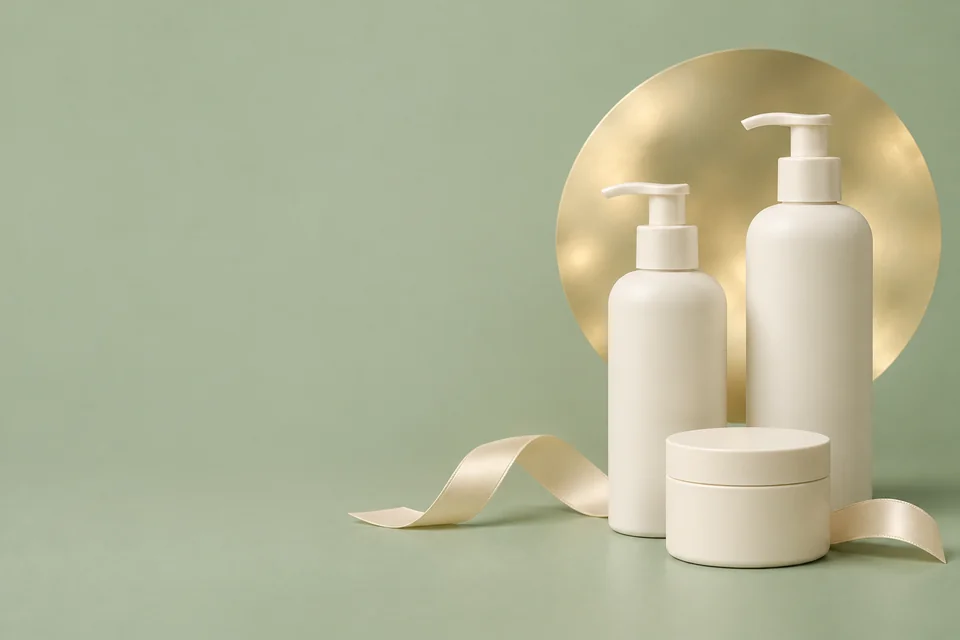
Create a studio product concept for a New Year skincare collection announcement. Arrange two generic unbranded matte ivory pump bottles and one closed round jar on the lower right of a pale sage tabletop. Include a single folded cream ribbon and a soft circular gold reflection behind the products, suggesting a celebration without busy decorations. Use diffused daylight, accurate perspective and subtle realistic shadows. Leave the entire left half as a smooth sage background for editable campaign text. Keep packaging blank and show every container fully. No lettering, numbers, logos, people, medical symbols, skin comparisons or watermark.
Output composition: 3:2 landscape.
Adapt it: Replace the generic bottles with a licensed product photo in an editor. Keep ingredient, medical and results claims out of the visual.
Headline idea: Meet the January collection
CTA idea: Explore the collection
3. Stationery: the January desk reset
A planner or stationery promotion.

Create a premium tabletop photograph for a New Year stationery promotion. On the right half of an oak desk, arrange one closed navy cloth notebook, a simple brass pen and a cream envelope, with two small gold confetti pieces nearby. Use natural morning light from the left, believable paper and fabric textures, and a restrained editorial style. Photograph from a slightly elevated three-quarter angle. Leave the left half of the desk empty, with an evenly lit surface suitable for a headline. Keep the notebook cover completely blank. No text, dates, digits, logos, screens, people or watermark.
Output composition: 3:2 landscape.
Adapt it: Swap navy for a brand color. Put dates and planner details in real text outside the generated scene.
Headline idea: A fresh page for January
CTA idea: Browse planners
4. Gift sets: a New Year bundle
A bundle offer with space for its actual contents and price.
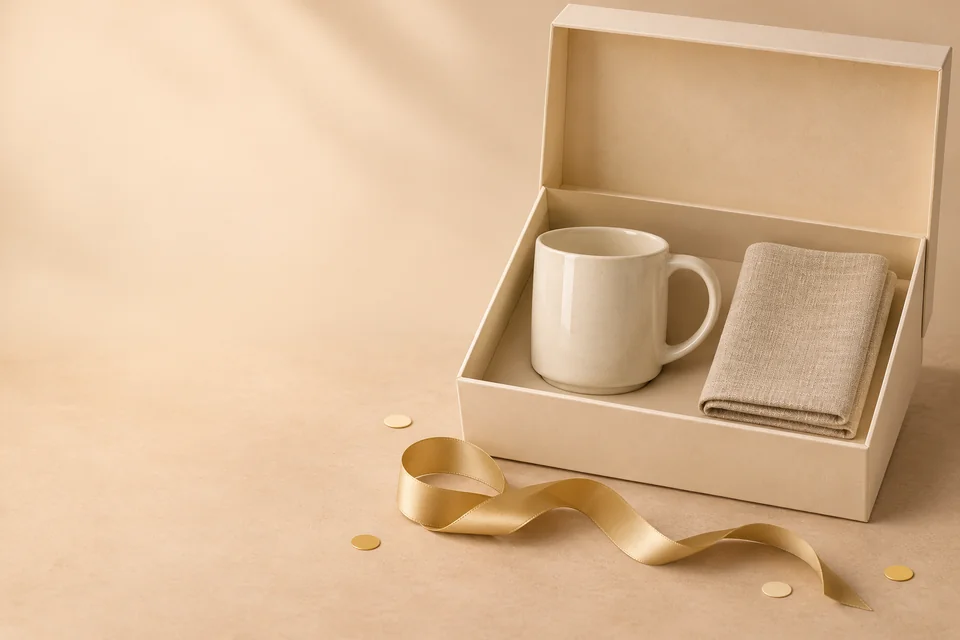
Create an elegant New Year gift-set campaign background. Put one open, unbranded cream presentation box on the right side of a warm beige table. Inside, show a plain ceramic mug and a folded oatmeal linen napkin, both fully visible and clearly separated. Tie a loose muted gold ribbon beside the box and scatter only a few paper confetti pieces. Use warm studio light, realistic cardboard, ceramic and cloth textures, and a soft cream backdrop. Leave the left half clean for an offer and button. No people, letters, numbers, logos, price tags, fake seals or watermark.
Output composition: 3:2 landscape.
Adapt it: Name the real bundle contents in the surrounding copy. Do not imply extra products are included.
Headline idea: Start the year with a thoughtful gift
CTA idea: See gift sets
New Year product photography prompts
These are fictional product concepts, useful for exploring a look. A text description alone cannot reliably reproduce your actual packaging, label or material. For a real product ad, use the workflow below the library.
5. Coffee: a winter product scene
An illustrative product scene for coffee or tea.
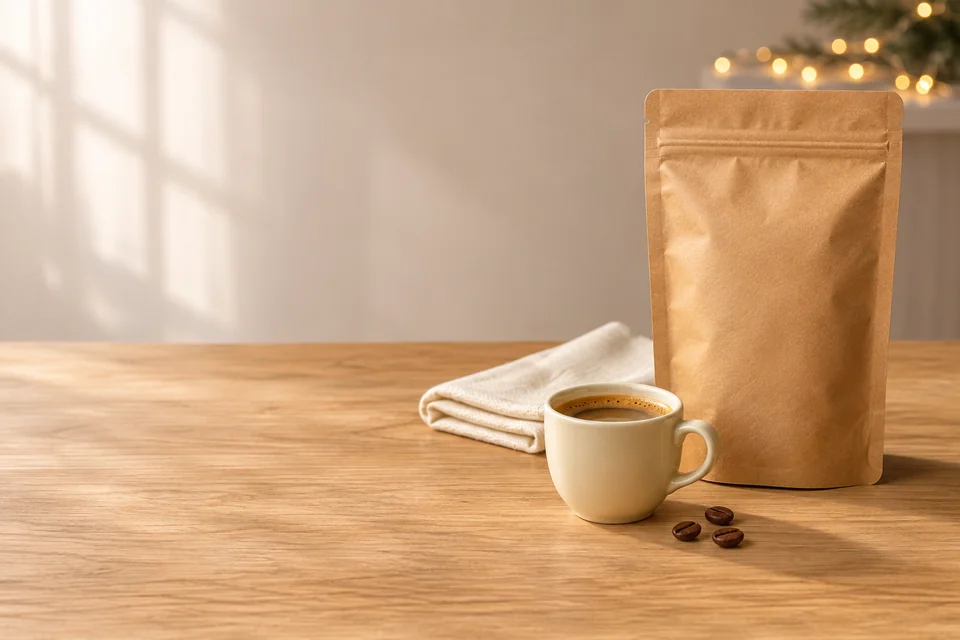
Create a realistic New Year coffee campaign still life. Place one upright unbranded kraft coffee pouch and one small ivory ceramic cup on the right third of a light oak table, keeping the pouch completely blank. Include three coffee beans near the cup, a folded cream napkin and softly blurred warm fairy lights far behind. Use gentle morning window light, subtle paper texture, realistic proportions and natural shadows. Leave the left half of the tabletop and background empty for editable text. Keep all objects fully inside the frame. No people, lettering, numbers, logos, claims, badges or watermark.
Output composition: 3:2 landscape.
Adapt it: This example uses fictional packaging. To advertise a real SKU, place a verified product cutout over the generated background.
Headline idea: Your first cozy cup of the year
CTA idea: Explore the range
6. Homeware: a mug in soft winter light
A homeware product concept with texture and open space.

Create a natural product photograph for a New Year homeware campaign. Set one unbranded handmade pale blue ceramic mug on the right third of a matte cream shelf, with a softly folded wool throw below it. A blurred window in the background suggests a bright winter morning; include one tiny gold paper star beside the mug as a restrained seasonal detail. Show believable ceramic glaze, a correct single handle, soft daylight and a gentle contact shadow. Leave the left half uncluttered for a headline. No people, text, numbers, logos, steam shaped like symbols or watermark.
Output composition: 3:2 landscape.
Adapt it: Describe your real material and color. Compare any generated product with the source before using it in an ad.
Headline idea: Small comforts for a new year
CTA idea: Shop homeware
7. Accessories: a clean January product launch
An accessories launch or catalog announcement.
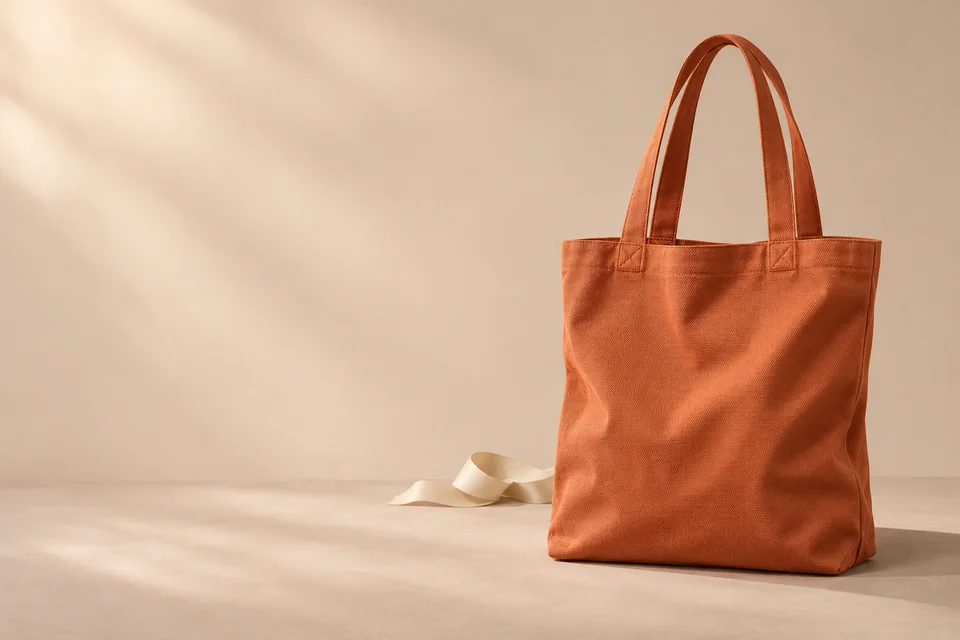
Create an understated product campaign photograph for a New Year accessories launch. Place one unbranded terracotta canvas tote bag on the right side of a pale beige studio set, standing upright with two visible handles and natural fabric folds. Add one small folded cream ribbon on the floor behind it. Use broad soft daylight from the upper left, realistic canvas weave and grounded shadows. Keep the bag fully visible and leave the left half of the image empty for campaign copy. Use warm neutral colors with a restrained terracotta accent. No people, lettering, numbers, logos, badges or watermark.
Output composition: 3:2 landscape.
Adapt it: Use a reference or a product cutout for exact stitching, shape and fabric. The generated bag here is a fictional concept.
Headline idea: Carry something new into January
CTA idea: View the collection
8. Tea: a giftable flat lay
A seasonal gift guide or product collection hero.
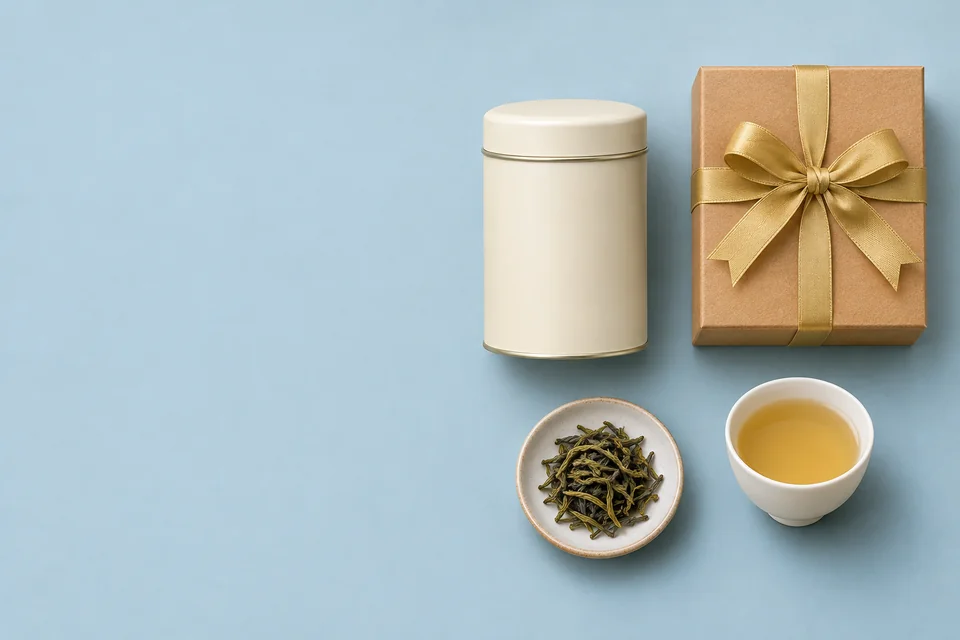
Create an overhead New Year tea-gift still life on a matte pale blue surface. Arrange one plain cream tea tin, a small white cup and a closed kraft gift box with a muted gold ribbon in the right half of the frame. Place a few loose tea leaves in a tiny ceramic dish, keeping every item neatly separated and fully visible. Use soft diffused light, realistic metal, paper and ceramic textures, and delicate shadows. Leave the left half completely clear as a text area. Keep all packaging unbranded and blank. No people, lettering, numbers, health symbols, logos or watermark.
Output composition: 3:2 landscape.
Adapt it: Use actual collection photography for exact products and packaging. Keep gift suggestions separate from health claims.
Headline idea: A calm start to the year
CTA idea: Discover tea gifts
New Year image prompts for local businesses
Make the next step concrete: a menu, opening hours, a class schedule or a booking page. These scenes avoid fabricated customers and results.
9. Restaurant: a New Year’s Eve dinner
A restaurant reservation banner with editable event details.
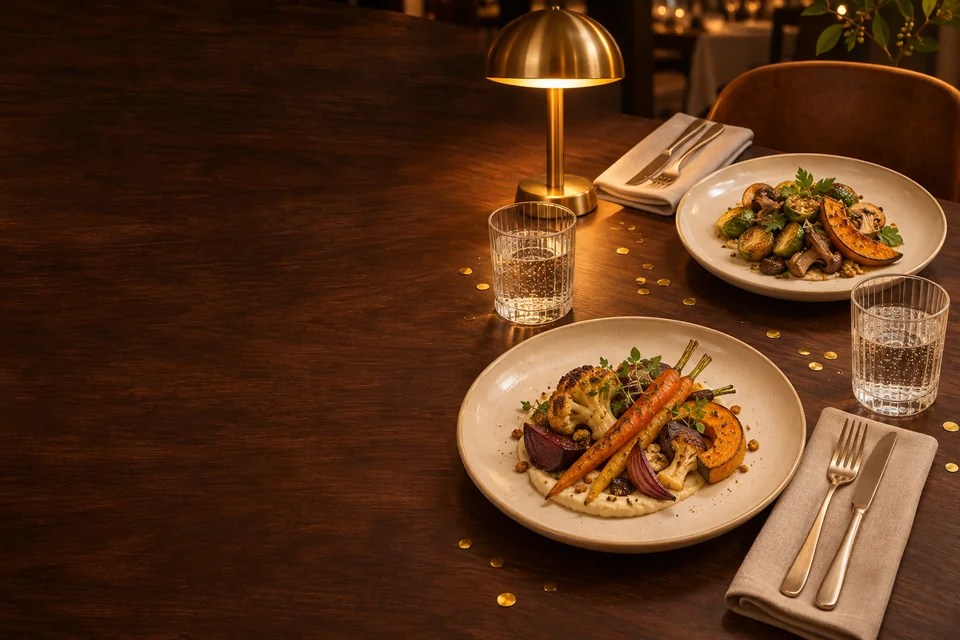
Create a warm editorial background for a restaurant New Year’s Eve dinner announcement. On the right half of a dark walnut table, set two cream plates with simple roasted vegetable dishes, folded linen napkins and two clear tumblers of sparkling water. Add one small brass table lamp and restrained gold paper confetti. Use soft amber restaurant lighting, realistic food textures and a welcoming relaxed mood. Leave the left half as a quiet dark tabletop with enough contrast for a light headline. No people, alcohol bottles, candles, text, numbers, logos, awards or watermark.
Output composition: 3:2 landscape.
Adapt it: Replace the illustrative food with your restaurant’s own photo if you are promoting a specific menu. Add actual date, price and booking terms in the editor.
Headline idea: Join us for New Year’s Eve dinner
CTA idea: View the menu
10. Bakery: the first breakfast of January
A bakery opening-hours or breakfast announcement.
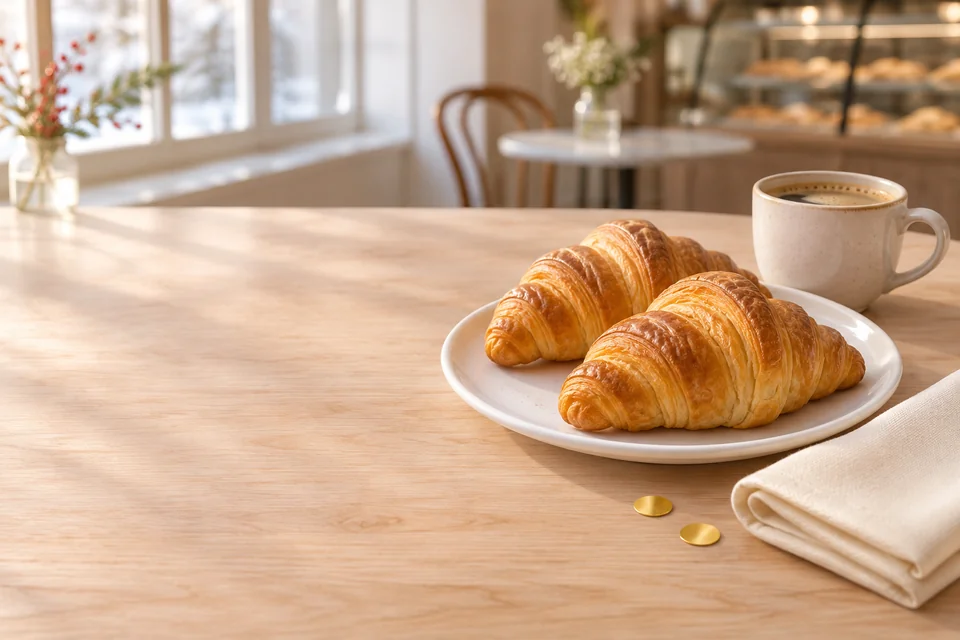
Create a bright bakery photograph for a New Year breakfast announcement. Place two golden croissants on a plain white plate and a small ceramic cup of coffee on the right third of a pale wood café table. Add a folded cream napkin and just two gold paper confetti pieces. Let soft morning window light fall from the left, with natural pastry texture and a gently blurred café background. Leave the left half of the table and background uncluttered for opening-hours copy. Keep the atmosphere calm and welcoming. No people, lettering, digits, logos, signs, price tags or watermark.
Output composition: 3:2 landscape.
Adapt it: Add the bakery’s verified holiday hours in editable text; do not let a generated calendar supply them.
Headline idea: See you for the first coffee of the year
CTA idea: See opening hours
11. Fitness: an inviting January class
A beginner-friendly studio class announcement.
Turning a fitness image into a campaign? See our gym ad examples for introductory offers, class copy and matching booking pages.

Create a welcoming studio photograph for a January beginner fitness class announcement. On the right side of a bright, tidy exercise studio, arrange two rolled sage green exercise mats, a plain cork block and a small cream towel on a clean wood floor. Use soft natural morning light through a large blurred window and a calm cream-and-sage palette. Leave the left half of the floor and wall visually quiet for a headline and schedule. Show realistic equipment proportions and natural shadows. No people, body silhouettes, scales, before-and-after comparisons, text, digits, logos or watermark.
Output composition: 3:2 landscape.
Adapt it: Add only real class times and trial conditions. Avoid body comparisons, weight-loss promises and language that judges appearance.
Headline idea: Find your January routine
CTA idea: See the class schedule
12. Local workshop: a January creative session
A pottery workshop or creative class booking post.
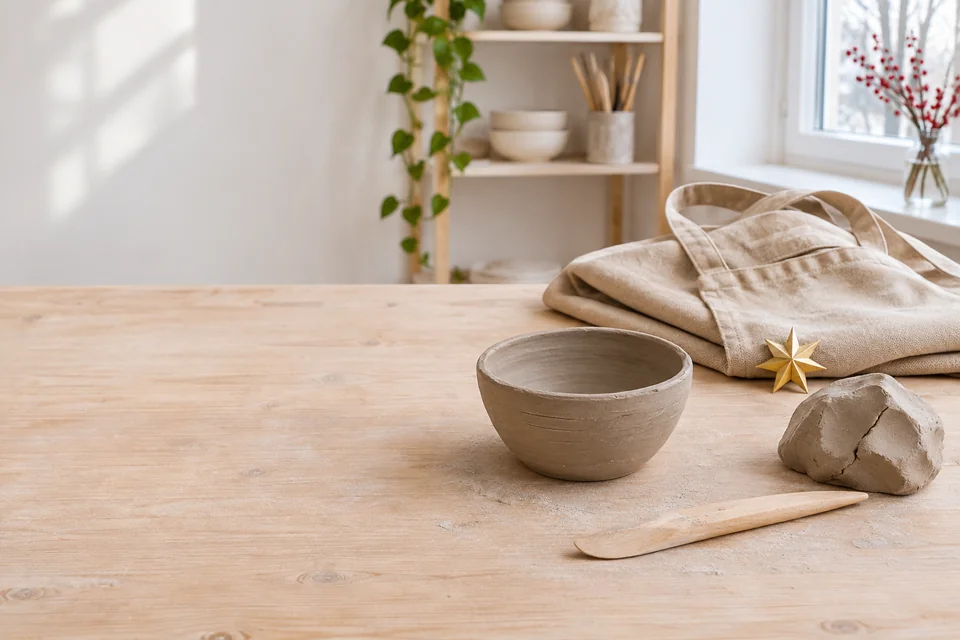
Create a natural editorial photograph for a January pottery workshop announcement. On the right half of a pale wood workbench, place one small unfinished clay bowl, a lump of clay, a wooden shaping tool and a folded beige apron. Use a bright tidy studio background, gentle daylight and realistic clay texture with a few subtle tool marks. Add one small gold paper star near the apron for a quiet New Year accent. Leave the left half of the workbench and background clear for booking details. No people, hands, lettering, digits, logos, awards or watermark.
Output composition: 3:2 landscape.
Adapt it: Replace tools with those used in your real class. Put dates, age requirements and booking information outside the image.
Headline idea: Make something new this January
CTA idea: Explore workshops
Business New Year greeting and email prompts
A greeting can be a useful message on its own. Leave out the sales button if all you want to say is thank you. These prompts generate backgrounds; your message and logo go on top afterward.
13. Customers: a simple New Year thank-you
A customer greeting with your own editable message.

Create an elegant illustrated New Year greeting background for a small business thanking its customers. Frame the lower right corner with three abstract paper-cut stars and a curved muted gold ribbon on a deep navy background. Keep the upper left and center mostly empty for a short handwritten-style message added later. Use a refined layered-paper look, soft directional shadows and a restrained navy, ivory and gold palette. Make the arrangement celebratory but uncluttered, with no implied event or real company. No people, lettering, numbers, logos, official emblems or watermark.
Output composition: 3:2 landscape.
Adapt it: Add a sincere message from your team; avoid implying endorsement or inventing customer achievements.
Headline idea: Thank you for being part of our year
CTA idea: No button needed for a simple greeting
14. Partners: a professional New Year card
A B2B greeting or partner email cover.
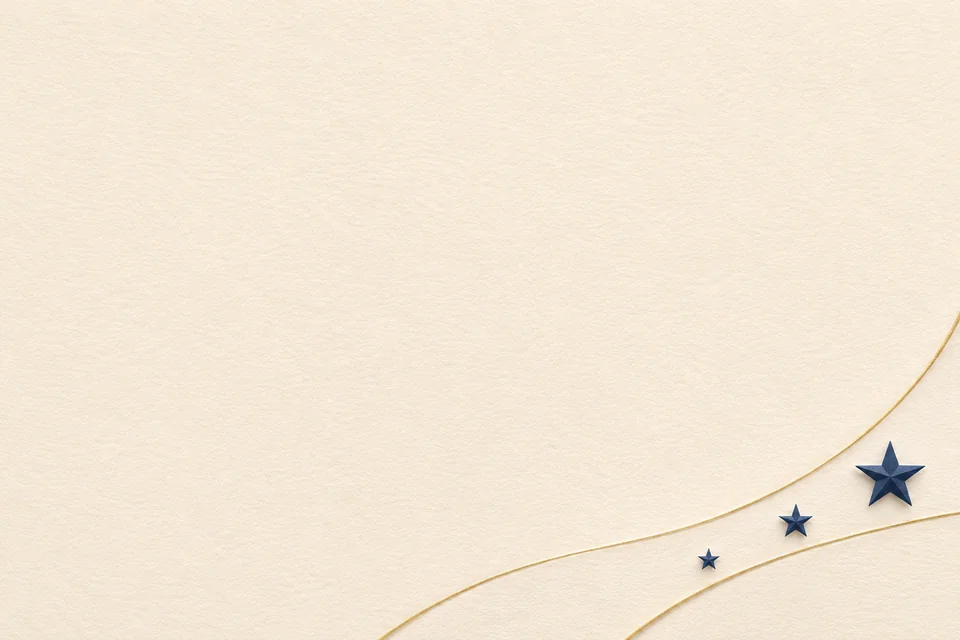
Create a minimal New Year greeting-card background for a professional team sending a message to business partners. On an ivory paper-textured surface, arrange two thin abstract gold arcs and three small navy paper stars along the lower right edge. Use a subtle embossed-paper aesthetic, soft studio light and refined restrained spacing. Keep the upper two thirds and the left half almost entirely empty for an editable greeting and company logo. Use only ivory, muted gold and deep navy. No people, words, digits, signatures, logos, official seals or watermark.
Output composition: 3:2 landscape.
Adapt it: Add the year as editable text. Use your approved logo file rather than asking the model to draw it.
Headline idea: Wishing you a bright start to 2027
CTA idea: No button needed for a greeting
15. SaaS: a warm greeting from the team
A software company’s seasonal greeting without fabricated UI.
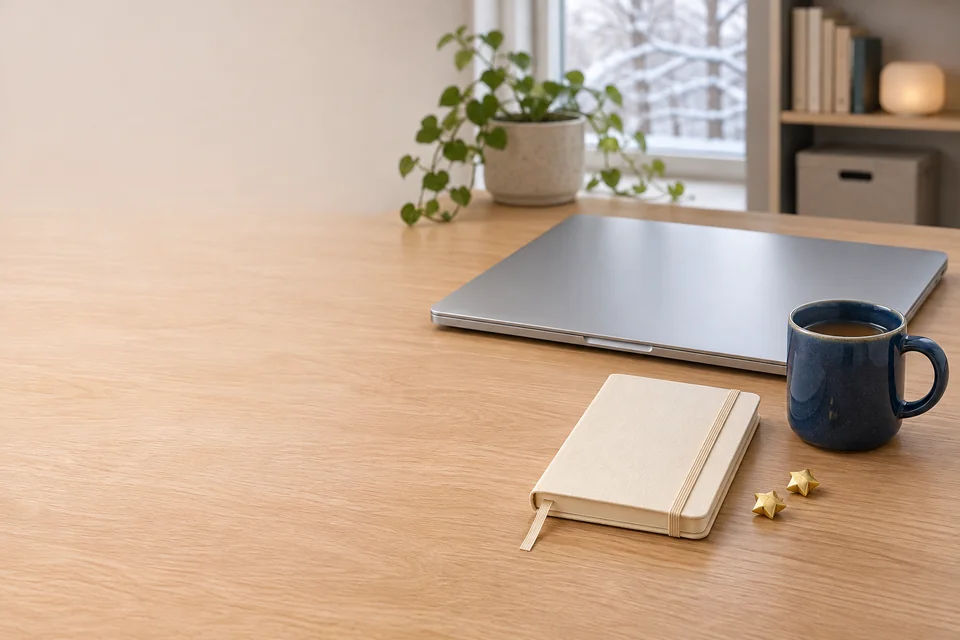
Create a warm editorial desk still life for a software team’s New Year greeting. On the right side of a light oak desk, place a closed plain silver laptop, a small cream notebook and a navy ceramic mug, with two tiny gold paper stars near the notebook. Use gentle winter daylight and a softly blurred neutral office background, with realistic metal and paper textures. Leave the left half clean and evenly lit for a short greeting. Keep the laptop closed so no fictional interface is visible. No people, lettering, numbers, logos, charts, awards or watermark.
Output composition: 3:2 landscape.
Adapt it: If you show an interface, insert an authorized screenshot in an editor. Do not present a generated desk as a real company photograph.
Headline idea: Here’s to a new year of good work
CTA idea: Meet the team
16. Email: a quiet New Year newsletter header
A newsletter header background that stays readable when cropped.
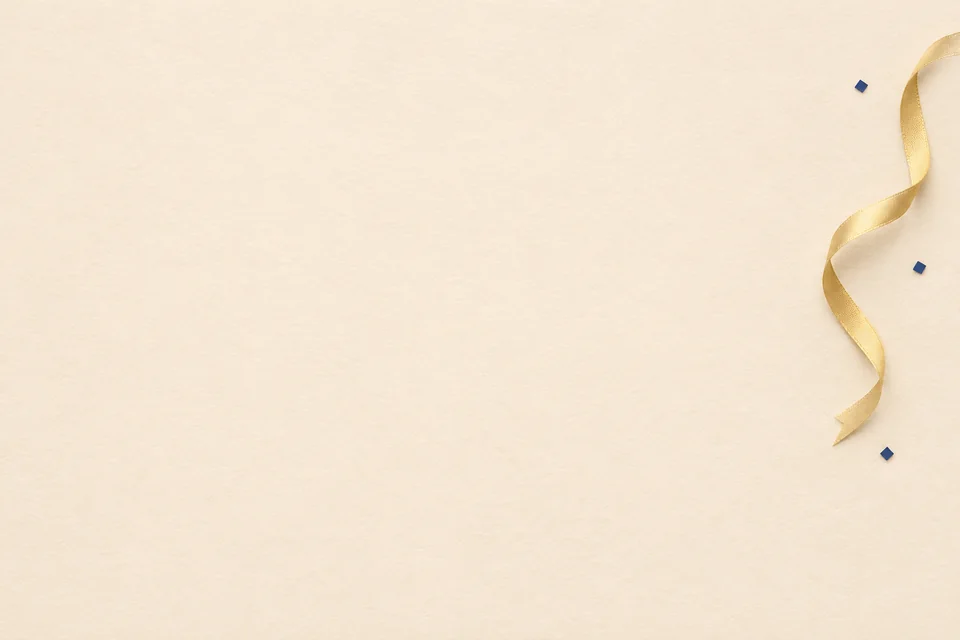
Create a minimal New Year newsletter-header background. Use a soft ivory field with a very subtle warm paper texture. Place one narrow muted gold ribbon and a few tiny navy paper confetti pieces near the far right edge, keeping them fully within the frame. Leave the center and left side empty and evenly lit for a readable greeting. Keep all decoration low in visual weight so the image can be cropped into a wide email header without losing the main subject. Use soft studio light and restrained spacing. No people, lettering, digits, logos, icons, buttons or watermark.
Output composition: 3:2 landscape.
Adapt it: Keep decorations at the edges. Crop in the editor and add live email text when possible.
Headline idea: Hello, 2027
CTA idea: Use the email’s actual next step
New Year social media post and Story prompts
Square posts, tall Stories and a matching series need different layouts. Select the shape in the image tool, then check the exported dimensions and platform preview before publishing.
17. Social: a countdown background
A square countdown post with the actual date added afterward.

Create a square New Year social-post background in a refined paper-cut style. Put a loose curve of muted gold confetti and three small ivory stars around the lower right corner of a deep navy square canvas. Keep the upper half and central left area empty for an editable countdown number and a short headline. Use subtle dimensional shadows, balanced negative space and a clean contemporary look. Keep decorative objects small and away from the outer edges for safe cropping. No people, clocks, lettering, digits, logos, fake notification badges, buttons or watermark.
Output composition: 1:1 square.
Adapt it: Use a countdown only when it matches the real campaign schedule. Put the number and date in editable text.
Headline idea: One more day until a fresh start
CTA idea: See what’s coming
18. Social: a vertical New Year Story
A Story background with room for native text and a link sticker.
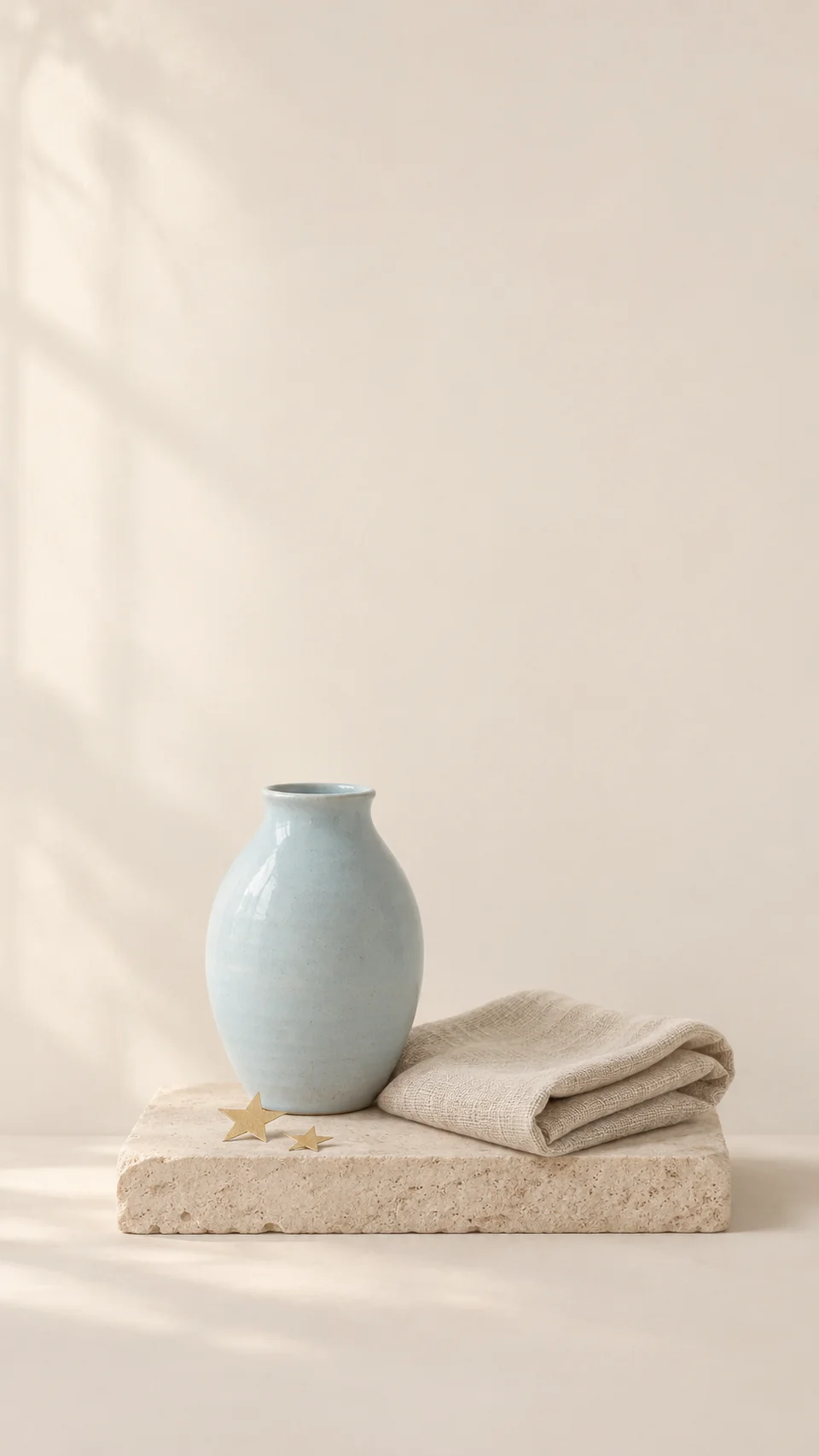
Create a portrait New Year Story background for a small homeware shop. In the lower middle of a tall cream scene, place one plain pale blue ceramic vase beside a folded oatmeal linen cloth on a low stone plinth. Include two tiny muted gold paper stars near the base. Use soft daylight, realistic ceramic texture and a minimal editorial mood. Keep the upper half calm for editable copy, the lower edge clear for an app interface, and generous space around all sides. No people, lettering, digits, logos, buttons, fake app controls or watermark.
Output composition: 9:16 portrait.
Adapt it: Select portrait output in the tool, then crop or extend to 9:16 if necessary. Preview with the platform’s actual interface before posting.
Headline idea: A new year. A fresh collection.
CTA idea: Explore the collection
19. Social: a matching January series
A consistent background for a three-post sequence.

Create a square background for a matching three-post New Year brand series. Use an ivory paper-textured field with one narrow navy curved ribbon entering from the bottom right corner and three tiny muted gold paper stars beside it. Keep the center, left side and top largely empty for different editable headlines across the series. Use soft dimensional paper shadows, a simple composition and restrained celebratory details. Keep all decorative elements concentrated in the lower right quarter so the background remains usable for several messages. No people, words, numbers, logos, grids, borders, badges or watermark.
Output composition: 1:1 square.
Adapt it: Generate one background, duplicate it in your editor and change the text across three slides. This is more predictable than asking for three identical AI compositions.
Headline idea: Welcome January / Meet the collection / Choose your favorite
CTA idea: Match each post to its destination
20. Social: a restrained winter backdrop
A neutral New Year background for a brand that avoids glitter.
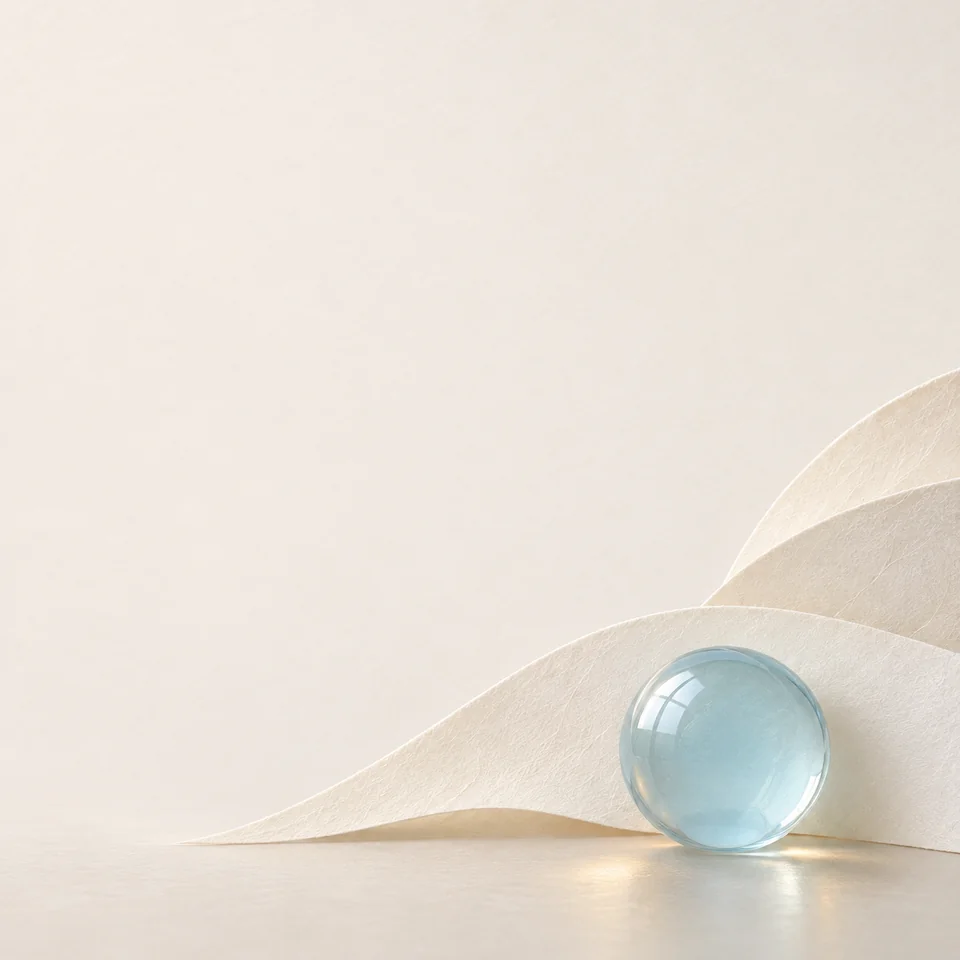
Create a minimal square winter background for a calm New Year social post. Show soft overlapping ivory paper forms along the lower right edge, a pale blue translucent glass sphere resting near them, and a delicate muted gold reflection on the surface. Use diffuse daylight, realistic paper fibers, gentle glass reflections and a quiet warm-white palette with one pale blue accent. Keep the upper half and the left side empty, evenly lit and suitable for dark editable text. Do not add busy celebration props. No people, lettering, numbers, logos, symbols, awards or watermark.
Output composition: 1:1 square.
Adapt it: Change the accent color or paper texture. Keep the same background for a greeting and a separate promotional post, with distinct copy.
Headline idea: A clear start to the year
CTA idea: Choose a next step that matches your post
Turn a generated background into a New Year banner
The candle example deliberately contains no offer or year. Here is how to finish it for an illustrative store announcement:
- Use the landscape candle scene as the background and keep the jar on the right.
- On the clear left side, add “New year, a little warmer” as editable text, then a short product description if space allows.
- Add a button labeled “Shop candles” and your approved logo file. Match the button to the actual next step on the landing page.
- If your store has a real offer, replace the description with the exact terms. Do not add “last chance” or a countdown unless the offer truly ends then.
- Check the smallest placement at normal viewing size, then export the correct dimensions and supported file type.
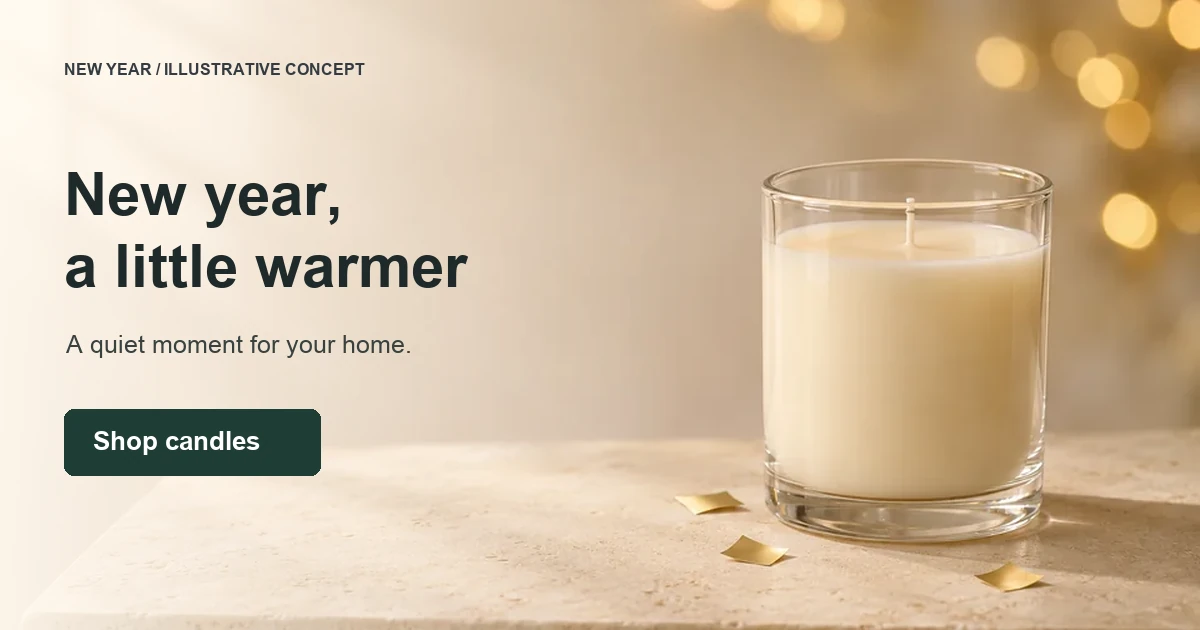
Keep your final design file with its text layers. It is easier to change “2027” next season or update an offer when the words are separate from the background. For placement requirements, see Google Display banner sizes and Meta ad sizes.
Ready to build the banner? Use your scene and real offer as a brief in the AdflowKit banner builder, then review the headline, logo and layout before exporting.
How to use your own product photo without inventing the product
A generated coffee pouch may look convincing and still be the wrong pouch. When the image is selling a particular item, exact color, shape, packaging and label matter.
A predictable workflow: photograph your product, make a clean cutout in an editor, generate only the surrounding scene, then place the original product over it. Match perspective and contact shadows and inspect the result beside the source. This approach keeps the photographed product intact rather than asking the model to reconstruct it.
- Start with a photo you have permission to use, with the full product and label visible.
- Generate a scene with an empty surface where the product will sit. Use a viewpoint and light direction compatible with your source photo.
- Place the original product cutout on that surface, adjust scale and add a natural contact shadow in your editor.
- Compare labels, color and proportions at full size. Keep required product details readable and add the campaign copy outside the product.
Background-only workflow template:
Create a quiet New Year product background: a pale oak tabletop, a cream backdrop, soft window light from the upper left and two small muted gold paper stars near the far right edge. Leave a clear empty area on the right third where I will place my own product photo, and keep the left half empty for editable text. Eye-level three-quarter camera angle, realistic materials and subtle ambient shadows. Do not generate a product, packaging, text, digits, logo or watermark.
If your image editor accepts a reference photo, ask it to change only the background. Compare the edited label, product edges and colors with the original before using the result.
Adapt a concept for a square post and a vertical Story
Compare the quiet square winter backdrop with the vertical homeware scene: the palette can stay restrained, while the object placement changes to fit the canvas.
To adapt the same campaign, duplicate your design file, choose the new canvas size, reposition the product and reflow the text. If cropping removes the object or leaves too little space, use an editor’s background extension or regenerate a taller composition. A prompt alone does not enforce a platform’s interface-safe areas.
For a three-post sequence, use the matching background prompt once, then duplicate the actual result and change the headlines in your editor. That gives you a consistent background without relying on several generations to match exactly.
Follow-up prompts for common problems
Try these instructions in an image editor, changing one issue at a time and comparing each revision with the original.
| Problem | Follow-up instruction | Check afterward |
|---|---|---|
| Too much decoration | “Remove most of the confetti. Keep just three small paper pieces near the lower right. Keep the product, lighting and camera angle unchanged.” | Decorations no longer compete with the product. |
| No room for copy | “Move the main object into the right third. Keep the left half as a plain, evenly lit background. Preserve the object’s appearance.” | Headline and button fit without covering the product. |
| The year is wrong | “Remove all generated lettering and digits from the background. Keep the rest of the scene unchanged.” | Add “2027” afterward as real text; verify the export. |
| The product changed | “Replace the generated product with an empty surface. Keep the surrounding scene and light direction.” | Place the original product cutout in an editor. |
| The palette is too bright | “Use muted navy, ivory and soft gold in the background. Reduce saturation and retain natural shadows.” | Compare with your approved brand colors; fine-tune in an editor. |
| Object cropped at the edge | “Widen the framing to show the whole object with generous empty space around it. Keep the same viewpoint and lighting.” | Inspect the final crop for each placement. |
A practical review before you publish
Use prompts that describe your own product and campaign. The examples here avoid real people, third-party logos, endorsements, sensitive personal attributes and claims about health, weight loss or income. They also avoid alcohol-focused party scenes. You can create a festive mood with paper stars, winter light and ribbons.
- Accuracy: the product and included accessories match what is sold; the year, price, deadline and offer terms are correct.
- Honest presentation: do not turn a generated scene into a fabricated customer testimonial, event photograph, award or proof of results.
- Rights: use your own or appropriately licensed photos, fonts and logos. Avoid copying a competitor’s packaging or presenting a celebrity endorsement you do not have.
- Legibility: copy remains readable at the actual placement size; the product and important details survive the crop.
- Destination: the button leads to the promised collection, menu, booking page or offer, with matching terms.
For paid campaigns, check the finished ad and its destination against Google Ads’ misrepresentation policy, especially the offer, product details and landing-page promises. Use the Google Ads banner pre-upload checklist to check the finished creative and destination before submitting an ad.
Already have an image concept? Use the January marketing ideas and four-week plan to match it to an offer, message and launch date. If the ad still promises Christmas delivery, see the before-and-after examples for switching your banner.
For a seasonal schedule, use the 2027 US marketing calendar. To plan the message and layout, study the New Year ad examples for planners, dinner reservations and January memberships. For Christmas-specific messaging, see Christmas creative ideas; Christmas and New Year campaigns can have different messages and deadlines.
Frequently asked questions
What should a New Year AI image prompt include?
Describe the business use, subject, surface or setting, lighting, palette and composition. Say where the headline will go, and whether lettering should be excluded. Choose the output shape in your tool, then inspect the result before adding the real campaign text.
Can I use these prompts in ChatGPT or Gemini?
Use the plain-English prompts as starting points in an image-generation tool you already have. Select its image mode and output shape, then adapt the wording if needed. Results depend on the tool and its available settings.
Are the prompts and image-generation tools free?
The text on this page can be copied without signing up. Your chosen image tool may have usage limits or require payment. Check its current access and pricing rather than assuming that a copy-paste prompt includes free generation.
How do I make sure the image says Happy New Year 2027 correctly?
For an ad or greeting you need to revise later, generate the background without words and add “Happy New Year 2027” in an editor. If you ask the model to draw words, keep them short and check every letter and digit in the finished image.
How do I keep my actual product unchanged?
Use an original product cutout over a generated scene for the most direct control. A reference-based AI editor can also help, but inspect the label, shape and color carefully. Compare the label, shape and color with your source photo.
Can I use the results commercially?
Check the current terms of the image tool and the rights to every input asset. Do not assume a generated image automatically clears third-party logos, packaging or other protected material.
Will these prompts guarantee Google Ads approval?
No. Review the finished image, copy, offer, targeting and destination against the current policies for your campaign.
Sources and how this guide was made
The AI-generated example illustrations on this page are published by AdflowKit. Publication does not grant permission to reuse these illustrations. To request permission, email hello@adflowkit.com.
The example record contains the exact prompts and image dimensions. The finished candle banner combines a generated background with separately added text and a button.